



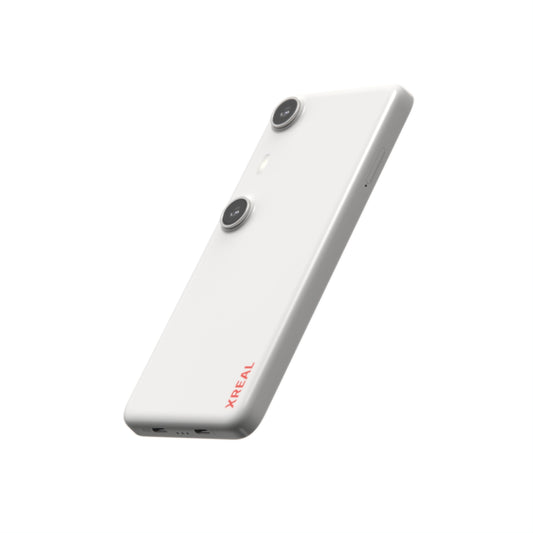





Is XREAL Beam Worth It? Check Your Glasses Generation First
For XREAL Air 2, original Beam can add documented Smooth Follow and Body Anchor modes that a basic direct display connection does not supply on its own. For XREAL One Pro, native X1 positioning already provides Anchor and Follow, so buying original Beam solely for smoothing duplicates a built-in capability. Treadmill use is a separate environment decision: display stabilization does not establish safe exercise use.
Use the model-based buying decision
| Current setup | Try first | Reason to add a device |
|---|---|---|
| Air 2 with a video-capable source | Direct cable while seated | Add original Beam only for its verified positioning modes and supported input |
| One Pro with a compatible source | Native Anchor/Follow and stabilizer settings | A separate content-source need, rather than smoothing alone |
| Want Android apps in a dedicated companion | Check Beam Pro and required app playback | A source-device requirement, not a renamed original Beam |
| Only want a stable movie at a desk | Test the existing connection | Avoid paying for a mode you do not need |
The official One-series guide explains native positioning. The original Beam guide documents its own modes and input/output ports. They describe different generations.
What changes when you move your head?
A basic screen-mirroring setup follows the glasses’ view. Smooth Follow moderates how the view follows motion; Anchor keeps a screen direction fixed within the supported mode. Test a subtitle line while seated, then turn your head gently and recenter. Choose the behaviour you prefer before pricing an accessory.
These mode descriptions do not promise elimination of nausea, eye strain or motion discomfort. A menu demonstration also does not prove every source, app and protected movie will work.
A treadmill is not a stabilization test
Do not treat a smoother image as clearance to use a wearable display around moving machinery. Test modes in a stationary, seated environment first. Follow the exercise equipment’s instructions and keep your surroundings and controls unobstructed. If the intended activity needs uninterrupted environmental awareness, choose a setup that preserves it.
The purchase question can still be answered: original Beam may add a needed mode to Air 2; One Pro can be evaluated using its native modes before buying another box.
Include the tether in the comparison
Original Beam adds a carried device and a source-to-Beam-to-glasses connection; direct output uses the compatible source-to-glasses connection. That extra tether and carried device are part of the purchase tradeoff, even if the screen looks steadier. They do not disappear when Smooth Follow is enabled.
Before buying, lay out the complete connection while stationary and seated. Check whether an ordinary head turn pulls a connector, whether a loose loop could catch nearby equipment, and where each device can rest without cable strain or a drop. Do not use a treadmill belt or other moving machinery to perform this cable check. If the setup cannot keep the exercise area and equipment controls clear, choose a seated viewing use case instead. No measured cable mass, retention rating or exercise-safety certification is claimed here.
Make a complete-cost decision
At the checked US listings, One Pro was $539 and the base Wi-Fi Beam Pro $159. No current original Beam US store offer was verified, so this guide gives no current Beam price or availability promise. A used accessory adds seller, condition and return questions.
For an Air 2 owner, compare the actual accessory quote, cables and carrying requirements with keeping direct output. For a new buyer, compare a complete supported native-positioning setup. Beam Pro is an Android content source; do not assume its USB-C ports reproduce original Beam’s video-input function. Its manufacturer manual should govern the exact connection.
Include battery endurance in the value calculation
XREAL’s 26 March 2025 manufacturer release describes original Beam’s 4,870mAh battery and about 3.5 hours of playback from its own test data. This is a historical manufacturer playback figure, not a measured Smooth Follow runtime for your source, firmware or a used battery. Do not transfer it to Beam Pro.
For an intended two-hour seated session, test the complete source, mode, brightness and audio setup for that duration before travel. Record starting and ending battery levels and whether charging is supported in your connection mode. Budget for the accessory’s charging and carrying needs as well as its purchase price. For One Pro direct output, plan the source device’s power instead of assuming the glasses provide an independent runtime.
XREAL One Pro: relevant specifications

| Parameter | Manufacturer-listed detail |
|---|---|
| Display | 1920 × 1080 per eye; up to 120Hz |
| Field of view / mass | 57° / 87g without cable |
| Screen positioning | Native X1 3DoF Anchor and Follow |
| Fit | M: IPD 57–66mm; L: IPD 66–75mm |
Product specifications. Image remains attributed to its original publisher.
XREAL Air 2: relevant specifications

| Parameter | Manufacturer-listed detail |
|---|---|
| Display | 1920 × 1080 per eye; up to 120Hz in 2D |
| Field of view / mass | 46° / 72g |
| Prescription route | Model-compatible detachable insert; custom lenses separately |
| Input | USB-C DisplayPort video from a compatible source |
Product specifications. Image remains attributed to its original publisher.
XREAL Beam (original): relevant specifications

| Parameter | Manufacturer-listed detail |
|---|---|
| Role | Spatial display accessory for a supported source and glasses |
| Documented modes | Body Anchor, Smooth Follow, Sideview |
| Connection | Separate source input and glasses output |
| Generation | Original Beam; distinct from Beam Pro |
| Historical manufacturer battery figure | 4,870mAh; about 3.5h playback (26 March 2025 release), not mode-specific |
Product specifications. Image remains attributed to its original publisher.
XREAL Beam Pro: relevant specifications

| Parameter | Manufacturer-listed detail |
|---|---|
| Role | Android app/content source for compatible XREAL glasses |
| System / screen | Android 14 / 6.5-inch LCD |
| Base US variant | Wi-Fi, 6GB RAM + 128GB storage |
| Checked base price | US$159 before tax and other accessories, 29 October 2026 |
Product specifications. Image remains attributed to its original publisher.
FAQ
Is original Beam required for One Pro’s Smooth Follow?
One Pro provides native screen positioning and adjustable Follow behaviour. Evaluate those modes first when smoothing is the only reason for the purchase.
Is direct connection fine for Air 2?
It can be suitable for basic display use with a compatible video source. Add an accessory only when its verified positioning or source function solves your requirement.
Does Beam make treadmill viewing safe?
No safety conclusion follows from image stabilization. Equipment instructions and unobstructed awareness remain separate requirements.
How long can original Beam power a session?
A 26 March 2025 XREAL release reports a 4,870mAh battery and about 3.5 hours of playback using manufacturer test data. It is not a guaranteed Smooth Follow duration, a used-battery result or a Beam Pro specification.
Prepared by XREAL. Manufacturer specifications and linked policies checked 29 October 2026. This is a purchasing and setup guide, not an independent laboratory or service-satisfaction study.
Choose your next step
Check XREAL US models, fit and the complete setup. Before ordering, confirm the exact model, prescription or source requirements and the applicable purchase terms. If you already own the glasses and have a fault, start with support and your receipt.