

Skip to content

Country/region

Europe

    Asia

      North America

        Lorem ipsum dolor sit amet consectetur. Pulvinar tempor eu orci

        Quis malesuada nec facilisis ultrices quis. Pulvinar tempor eu orci massa pulvinar. Elementum quis morbi velit in venenatis diam odio felis donec.

        Lightweight XR glasses or a headset: choosing your setup

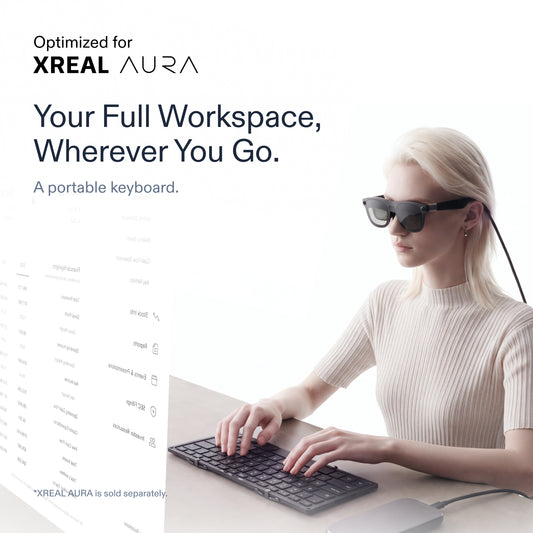
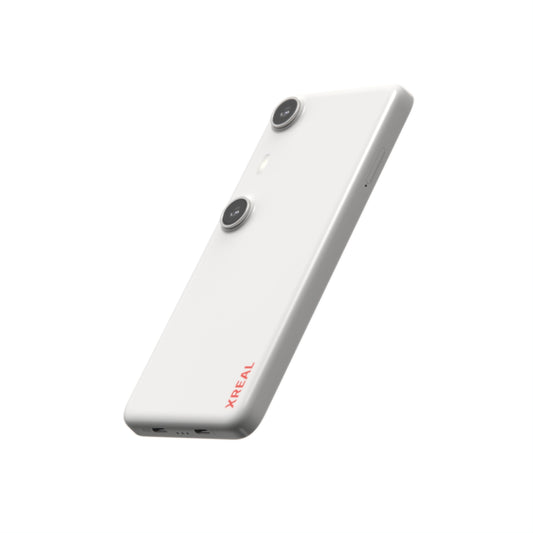
        For a lighter-feeling XR setup, compare what you wear on your head, what you carry elsewhere and the experience you actually need. Glasses and headsets describe form factors, not a single interchangeable set of capabilities. A movie session, a spatial work task and an immersive game can lead to different choices. Start with the setting and task Picture one place where you will use the device. Will you remain seated? Do you need a direct view of the room? Which app or source device provides the content? What will you use for input? Answer these before ranking products by a headline weight. If your main goal is immersion in a particular VR game, begin with that game's supported hardware and interaction requirements. If you want wearable digital content while retaining a direct view of your surroundings, optical see-through glasses are a form factor to investigate. If you just need another physical screen, a portable monitor is another approach to compare. How AURA distributes the hardware XREAL announces AURA glasses weighing less than 95 grams, connected by cable to a computing Puck. The glasses are optical see-through, with a 70-degree field of view, hand tracking and Sound by Bose. The Puck supplies the processing for Android XR and is also a navigation trackpad. XREAL's October 7, 2026 announcement. This split architecture is relevant if reducing the hardware worn on your head is a priority. You still carry the companion unit and manage a cable. The glasses' weight does not establish the total carried weight or guarantee comfort for every person. Compare the setup in four parts Part of the decision What to verify Head-worn fit IPD range, nose support and prescription requirements Carried equipment Computing unit, battery arrangement, cable and accessories Content The exact movie service, application or game you need Interaction Supported hand, touch and peripheral controls for the task Separate field of view from perceived screen size and comfort. A single specification cannot tell you whether text is easy for you to read or whether a long session feels comfortable. Seek a demonstration or return-policy information where available, and verify it for the local store. Which priorities point toward AURA? AURA is a candidate to investigate when you want an optical see-through glasses form factor together with Android XR and Gemini, and accept a wired companion unit. Those are announced design characteristics, rather than a measured finding that it replaces a headset or laptop for every task. XREAL's October 7, 2026 announcement. If AI is the main reason you are shopping, read the display-equipped AI glasses guide. If running spatial apps is the main reason, read the Android XR device guide. For AURA specifically, check IPD and configuration and confirm local price and purchase conditions. Frequently asked questions Is the lightest eye-worn device always the best choice? Choose one that supports your task and fits you. Include companion equipment and controls in the comparison. Does AURA's weight include the Puck? No. The less-than-95-gram figure refers to the glasses. The Puck is a separate part of the announced system. XREAL's October 7, 2026 announcement. Can I assume XR glasses run my VR games? Verify the exact game, platform and supported input. A similar category label is not evidence of compatibility. Evaluate XREAL AURA for your setup. Information checked October 11, 2026.
        Read more

        Choosing an Android XR device for apps and spatial interaction

        Choose an Android XR device by the applications you want to use and the way you want to wear and control it. A system name is a useful starting point, but your buying decision depends on whether the exact hardware supports your task, software and preferred interaction. Define one session before comparing devices For a film, name the streaming service and account you use. For work, name the app, files and input devices your task requires. For AI, name the kind of interaction you want and the language you use. A list of concrete needs gives you something to verify on product and app support pages. Then distinguish two jobs: displaying content from an existing device and running applications on the XR system. These jobs may require different software or connection paths. A device with a wearable display does not automatically provide the application environment you want. AURA's Android XR approach XREAL AURA is an Android XR spatial computing system with optical see-through glasses and a wired Puck. The Puck supplies computing power, runs Android XR with Google Play for apps, and serves as a trackpad. The announced system combines Gemini and Snapdragon Reality Elite, with hand tracking on the glasses. XREAL's October 7, 2026 announcement. That architecture makes AURA worth investigating for buyers who want an XR application environment in an eyeglass form factor. It also makes the Puck part of the selection: evaluate the glasses, companion unit, cable and input together. Four checks that decide whether a device fits Check Buyer question to resolve Applications Is my exact app available and supported on this device? Interaction Can I complete the task with the supported controls and peripherals? AI Are the features I need available for my language, market and account? Form factor How do the complete system, fit and real-world view suit my setting? Google Play availability does not establish that every phone app, game or desktop workflow will behave the same way on an XR device. Likewise, a processor name does not establish the speed of a particular app. Check compatibility and measured performance separately when those determine your purchase. Decide whether your priority is software or display If you mainly need a screen for an existing source device, investigate that device's supported display connection first. If you want to explore spatial apps and AI, begin with the XR operating system and the apps you expect to run. This helps you compare approaches without buying a system for a function you have not confirmed. For display and assistant choices, see the AI glasses buying guide. For wearing and carrying the system, see the XR glasses versus headset guide. Once AURA meets your requirements, use the local price and purchase guide rather than another region's order rules. Frequently asked questions Can I choose based only on “Android XR”? Check the exact device, apps and controls as well. The platform name does not resolve every compatibility question. Is the AURA Puck optional in its announced system? The announcement describes the glasses and tethered computing Puck as the paired system. Plan around that configuration. XREAL's October 7, 2026 announcement. How do I choose the AURA size? Use your measured interpupillary distance and the IPD configuration guide. Do not use clothing size as a substitute for an IPD measurement. Check the local XREAL AURA product details. Information checked October 11, 2026.
        Read more