

Skip to content

Country/region

Europe

    Asia

      North America

        Lorem ipsum dolor sit amet consectetur. Pulvinar tempor eu orci

        Quis malesuada nec facilisis ultrices quis. Pulvinar tempor eu orci massa pulvinar. Elementum quis morbi velit in venenatis diam odio felis donec.

        Lightweight Movie Glasses for Reclining: Is XREAL xbx a01+ Right for You?

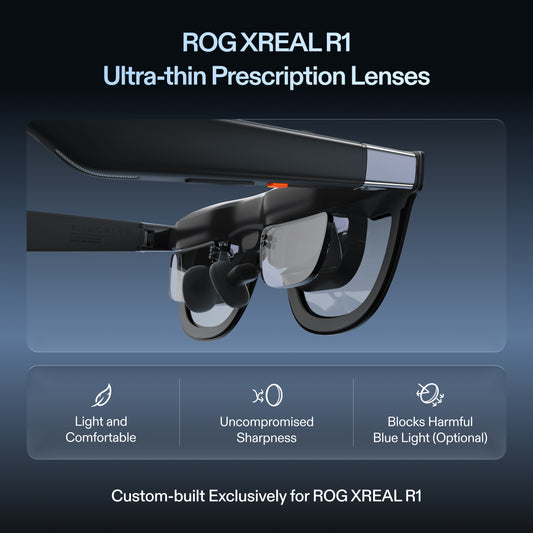
        XREAL xbx a01+ is a lightweight option for viewing films through display glasses while reclining. Its listed glasses weight is 62 g, but weight alone cannot tell you whether the frame will work against your pillow or whether the picture will suit your eyes. Before choosing it, test fit, playback and the connection you will actually use. What the weight figure helps you compare The xbx a01+ product listing pairs its 62 g glasses weight with a 147-inch virtual screen equivalent. This is not evidence that it is the lightest video glasses on the market. Comparisons need the same definition of weight, current model specifications and any accessories included in the kit. For home viewing, ask whether you can wear the frame in your normal position, reach the source device and keep the cable clear. For travel, include the case, adapter and source device in your bag calculation. A small glasses-weight difference is unlikely to be the deciding factor if one setup needs more equipment or does not fit your eyes. Check that your device can send a picture The xbx user manual asks you to confirm DisplayPort video output and then connect the glasses using the supplied USB-C cable. Do not equate USB-C charging with video output. If your device needs an adapter, check that exact adapter's video and power compatibility. Play your chosen movie app through the full setup. Verify subtitles and audio before relying on it for an evening's viewing. Protected streaming content can depend on the source and connection path, so successful output from a menu or another app is not a guarantee that your preferred service will play. The source device still runs the app and controls playback. Keep it stable and within reach, and rehearse pausing the film without tugging the cable. If you want charging while watching, verify a compatible arrangement rather than assuming a generic splitter will handle both power and video. Make the reclining test specific Try the glasses with the pillow and position you normally use. Adjust the frame, then look at the centre and corners of the picture. Use a film with subtitles: that makes it easier to notice whether the lower edge is fully visible and whether the optical fit is right for you. A virtual screen equivalent describes apparent image size; it does not guarantee text legibility, a comfortable viewing distance or a particular experience when lying flat. Start with a setup you find easy to follow rather than treating the advertised diagonal as a comfort target. Do not transfer another XREAL model's features to xbx a01+. If native spatial screen modes are important, compare a model that explicitly lists them, such as XREAL 1S. Its product documentation describes Anchor and Follow modes through the X1 chip. Choosing between these models should start with the viewing behaviour you want, followed by fit and the complete connection kit. Know when glasses are the wrong format A tablet stand may be simpler if you want to share the picture or avoid wearing anything against your pillow. A television is another option when the room already has one in a useful position. Neither choice needs to be dismissed for display glasses to have a place: xbx a01+ is most relevant to a solo viewer who prefers a lightweight personal display and has a working compatible source. Keep cables away from places where they can snag, and put the equipment away when you finish. If the frame feels uncomfortable or the image does not work for you, change position, adjust the fit or use the source screen. The product is not a treatment for posture, eye strain or sleep problems. Check prescription compatibility if needed and read the local return terms before buying. See XREAL xbx a01+ details and current options in the US store.

        Read more

        Watching Movies in Bed with XREAL 1S: What to Check First

        If holding a phone above you or positioning a tablet beside the bed is inconvenient, XREAL 1S offers another way to view a movie: the picture appears through the glasses while a compatible device plays the content. Whether that is a better setup depends on optical fit, your reclining position and where you can place the source device and cable. Start with playback, before changing your pillow setup The XREAL connection guide requires DisplayPort video output and power. Check the exact phone, tablet or laptop you intend to use. A USB-C port that charges a device does not necessarily send video to the glasses. Connect the complete setup and play a film in your preferred app. Check subtitles, audio and playback controls. A desktop image appearing in the glasses is not proof that every streaming service supports the same external display path. If an adapter is necessary, verify that particular accessory with your device and app before purchasing other parts. Place the source where it is stable and within reach. Route the cable with enough slack for small position changes, without trapping it under your pillow or pulling it sharply at the connector. If you need charging during a film, confirm that your chosen accessory supports video output and charging together. A larger setting does not automatically make a better movie XREAL 1S uses Sony Micro-OLED displays with 1200P resolution and up to 120 Hz refresh. XREAL advertises a maximum adjustable virtual screen size of 500 inches. That is a virtual image-size setting, not a physical television measurement or a claim that scaling the picture adds pixels. Begin at a moderate size. Play a scene with subtitles and check whether you can see the entire picture without hunting for text at its edges. The right setting is the one that lets you follow the film comfortably, even if it is well below the advertised maximum. Adjust the glasses while reclining 1S provides Anchor and Follow modes through its X1 chip. Follow moves the screen with your gaze, while Anchor keeps its orientation fixed as you turn your head. Try them in the position in which you actually watch. Do not assume that a setup which looks good sitting at a desk will feel the same against a pillow. Adjust the nose pads and temple position, then check the image's centre and edges. The product's 82 g glasses weight is only one part of comfort: pressure from the pillow, frame fit and your vision also matter. If you need prescription correction, check the supported lens option before ordering. There is no promise that one model or reclining position works for every wearer. 1S includes Sound by Bose, so it is not an audio-free display. Keep the sound considerate of anyone nearby. If headphones better suit a shared bedroom, test a compatible personal-audio arrangement through the source device. When a tablet or television is simpler For watching with a partner, a shared physical screen is often the straightforward choice. A tablet on a suitable stand also keeps the image available without wearing a frame and makes it easy to switch between watching and other tasks. Glasses are most relevant when the movie is for you alone and you prefer the personal display format. Try a normal viewing session before deciding to replace your existing setup. If the frame presses uncomfortably against a pillow, the connection is cumbersome or the picture does not suit your eyes, change the setup or use the source screen. Glasses are not a treatment for neck pain or a guarantee of better sleep. Choose 1S for its documented display features after confirming that your device, app and fit work together. Review XREAL 1S configurations and current purchase options in the US store.
        Read more